Calendar
The Calendar holds your meetings and events, books rooms and equipment, and shows everything else that has a date — approved absences from Time, appointments from Bookings, due dates from Boards, project dates from Projects and reminders from Reminders — as read-only overlays. It is the one place to see your whole week; each overlay is still managed in the module that owns it.
Where to find it
- Open Calendar from the sidebar's app row or All apps (
/calendar), or press ⌘K and typecalendar. - The sidebar holds the month picker, Calendars (yours and the ones shared with you), Elsewhere — the overlays from other modules, each with its own toggle — and, at the bottom, Calendar settings.
- Calendar settings (
/calendar/settings) — the gear in the toolbar, or Calendar settings at the bottom of the sidebar. Calendar at the top of its sidebar, or its breadcrumb, leads back.
Roles and permissions
Roles: Viewer, Member, Manager, Administrator, granted at System console → Access → Roles. Every member can see that a colleague is busy (free/busy); reading a colleague's event titles needs a share or the right role. Adding rooms needs the permission to manage resources. Events marked private or confidential stay private.
Main workflows
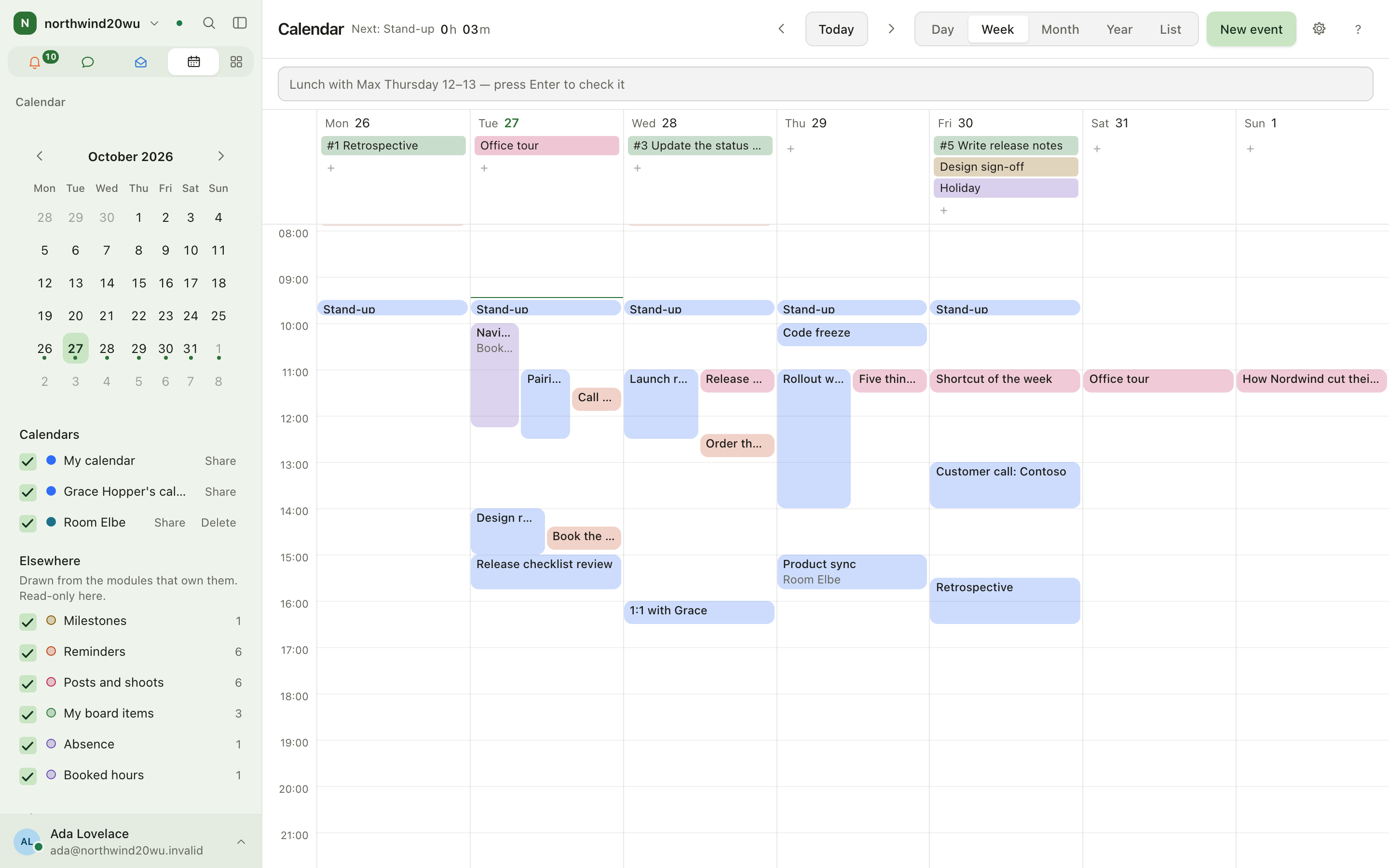
Switch views and move around
Use Day, Week, Month, Year or List in the toolbar, Today to come back, and the arrows (or the keyboard — Keyboard shortcuts lists them) to move. List shows only the days that have something on them; a stretch with nothing in it offers New event.
Create an event
- Press New event, double-click a slot, or type into Write an event in a line
(for example
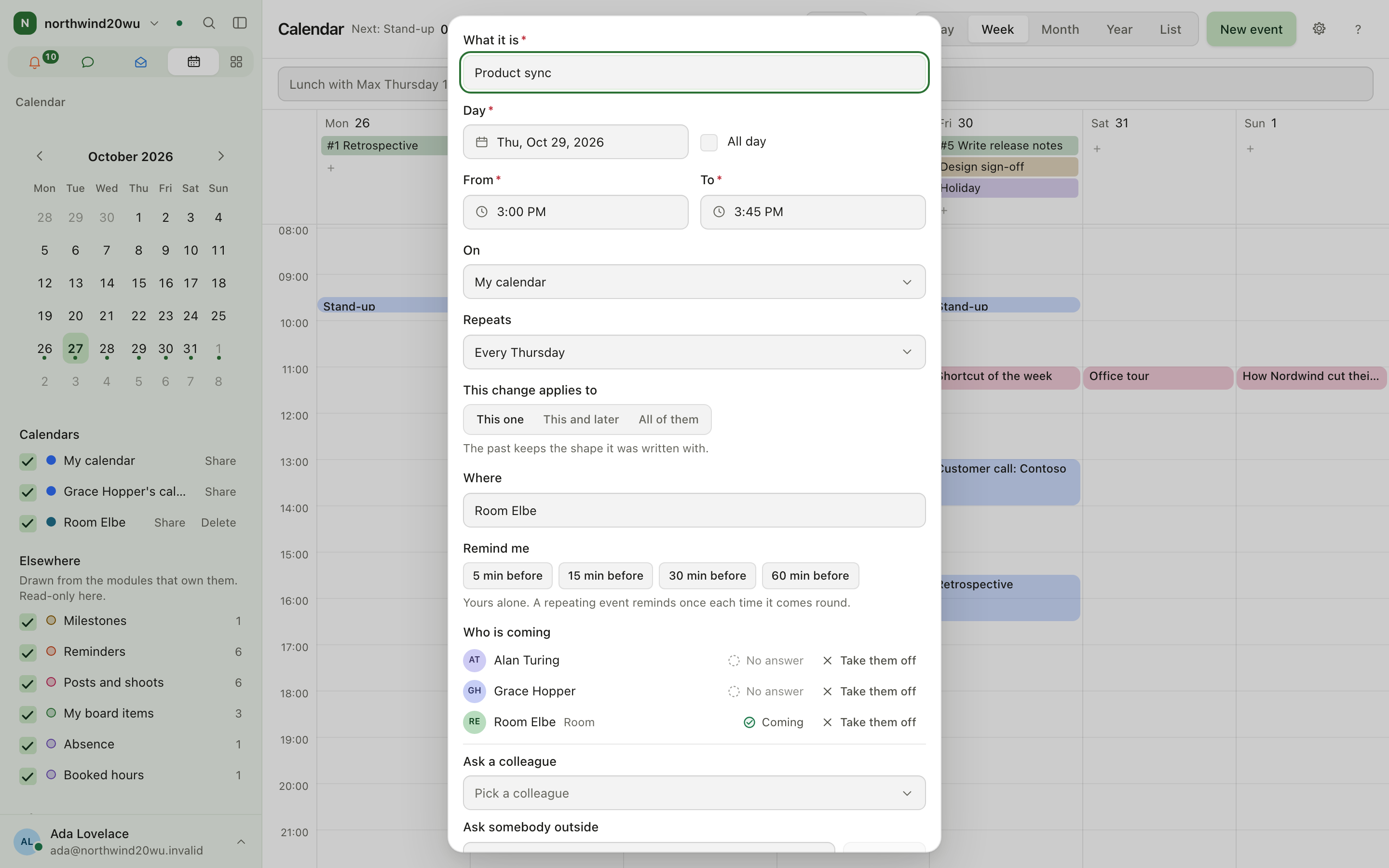
Lunch with Max Thursday 12–13) and press Enter to check it. - Add attendees, a room, a repeat rule and a reminder in the editor.
- Save. Attendees are invited; a room with auto-accept confirms at once.
Share a calendar
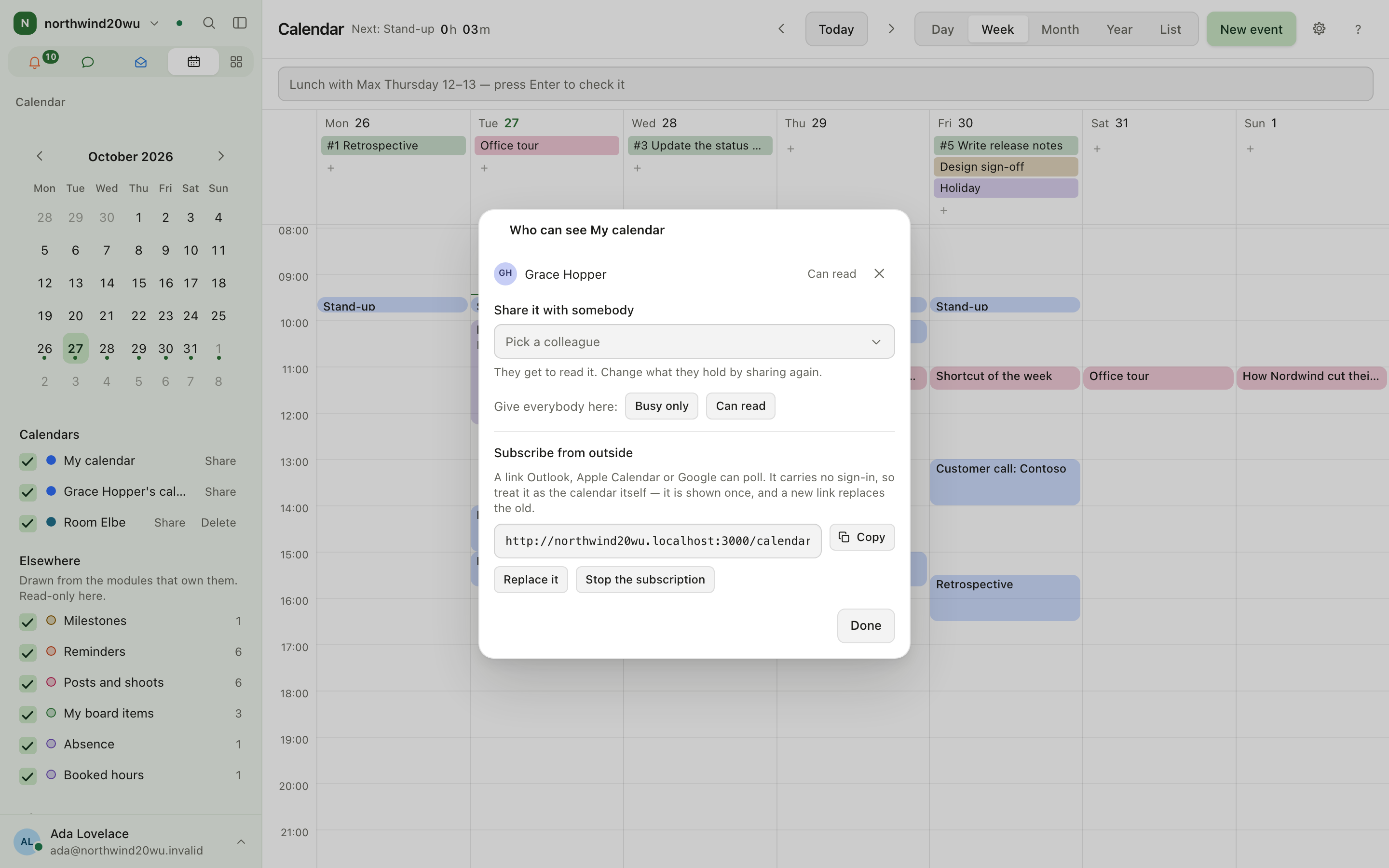
- In the sidebar, press Share beside a calendar you manage.
- Pick a colleague to let them read it (Can read), or after Give everybody here choose Busy only or Can read for the whole organisation. The list at the top shows who holds which level; Can write and Can share it too can only be given through the API, and show up there when they have been.
- Subscribe from outside creates a link Outlook, Apple Calendar or Google can poll. Treat the link like the calendar itself; Stop the subscription revokes it.
Connect Google, Microsoft 365 or iCloud
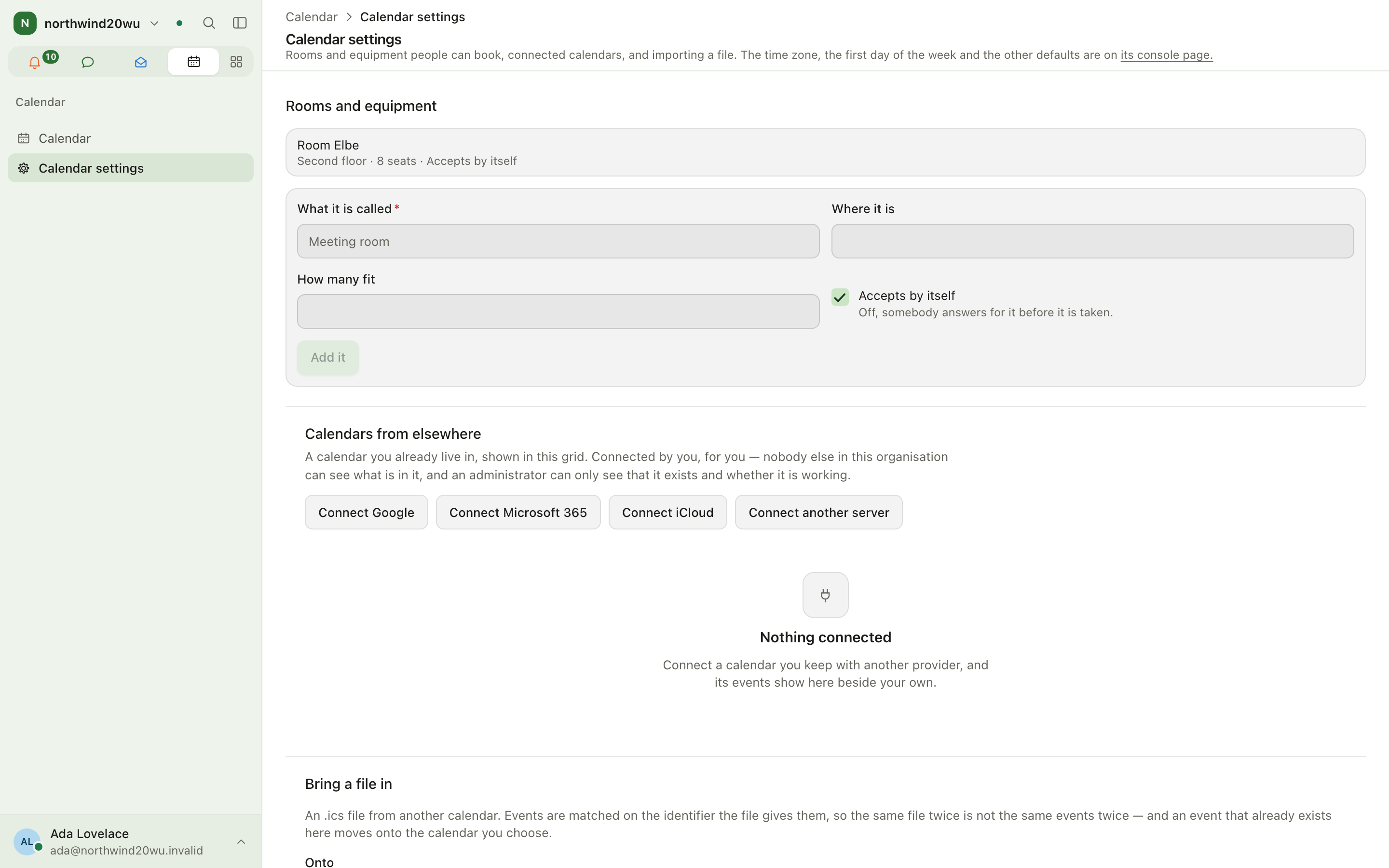
- Open Calendar settings.
- Choose Connect Google, Connect Microsoft 365, Connect iCloud or Connect another server (CalDAV). For iCloud use an app-specific password.
- Pick which calendars of that account to mirror and whether Changes travel one way or both ways.
- Changed in two places lists meetings edited on both sides; Put mine back restores yours.
Bring a file in
Calendar settings → Bring a file in: choose the calendar it goes Onto (one you can write to)
and pick The file, an .ics. The result says how many events were written, updated and left
out.
Settings and admin
- Calendar settings (
/calendar/settings): rooms and equipment that can be booked (name, location, capacity, auto-accept), connected calendars, and Bring a file in. - Time zone, first day of the week, default event length, default reminder and whether calendars may be subscribed to: System console → Marketplace → Calendar. The settings page links there for whoever may open the Marketplace; everybody else is told that an administrator sets them.
- Roles: System console → Access → Roles.
How Calendar relates to other modules
| On the calendar | Managed in |
|---|---|
| Absences | Time → Absence |
| Appointments booked from outside | Bookings |
| Board item due dates | Boards |
| Project end dates and milestones | Projects |
| Reminders that are due | Reminders |
| Social posts and shoots | Not here — Studio has its own content calendar |
Tips
- Turn off an Elsewhere source in the sidebar when the week gets crowded.
- A room is a calendar too: book it by adding it to an event.
Time
Time records when you work and what you work on — separately. Clocking in and out measures attendance; booking hours against projects and activities measures work. Your working week sets what each day is expected to be worth, and the difference builds up as your balance. Periods are submitted, approved and eventually locked. Holiday comes out of an entitlement; sickness is reported, never with a diagnosis.
Bookings
Bookings lets people outside the organisation ask for an appointment — a first consultation, a viewing, a call — and lets somebody inside answer. Visitors book through your own website (the public booking API) or through a booking link the product hosts at <your-org>.enclessa.app/booking/<code>.