Polls
Ask a room a question and watch the answers come in. A poll is a message in a channel or a thread: two to ten options, one choice or several, anonymous if you want, and an optional closing time. The results update live for everybody in the room.
What it's for
Quick decisions that would otherwise take a dozen replies: which day suits the retro, which design goes forward, who brings what. For a decision that needs a record and an owner, use a board item instead.
Where to find it
Polls lives in Chat. It has no page of its own. Once it is installed:
- The composer of a channel or a thread has a Create a poll button.
/pollfollowed by a question opens the same dialog with the question filled in.- The poll itself is a card under its message, in the room and in the thread.
Polls work in managed rooms only. An end-to-end encrypted room has no Create a poll: the server cannot read the room, so it cannot count the votes.
Main workflows
Ask a question
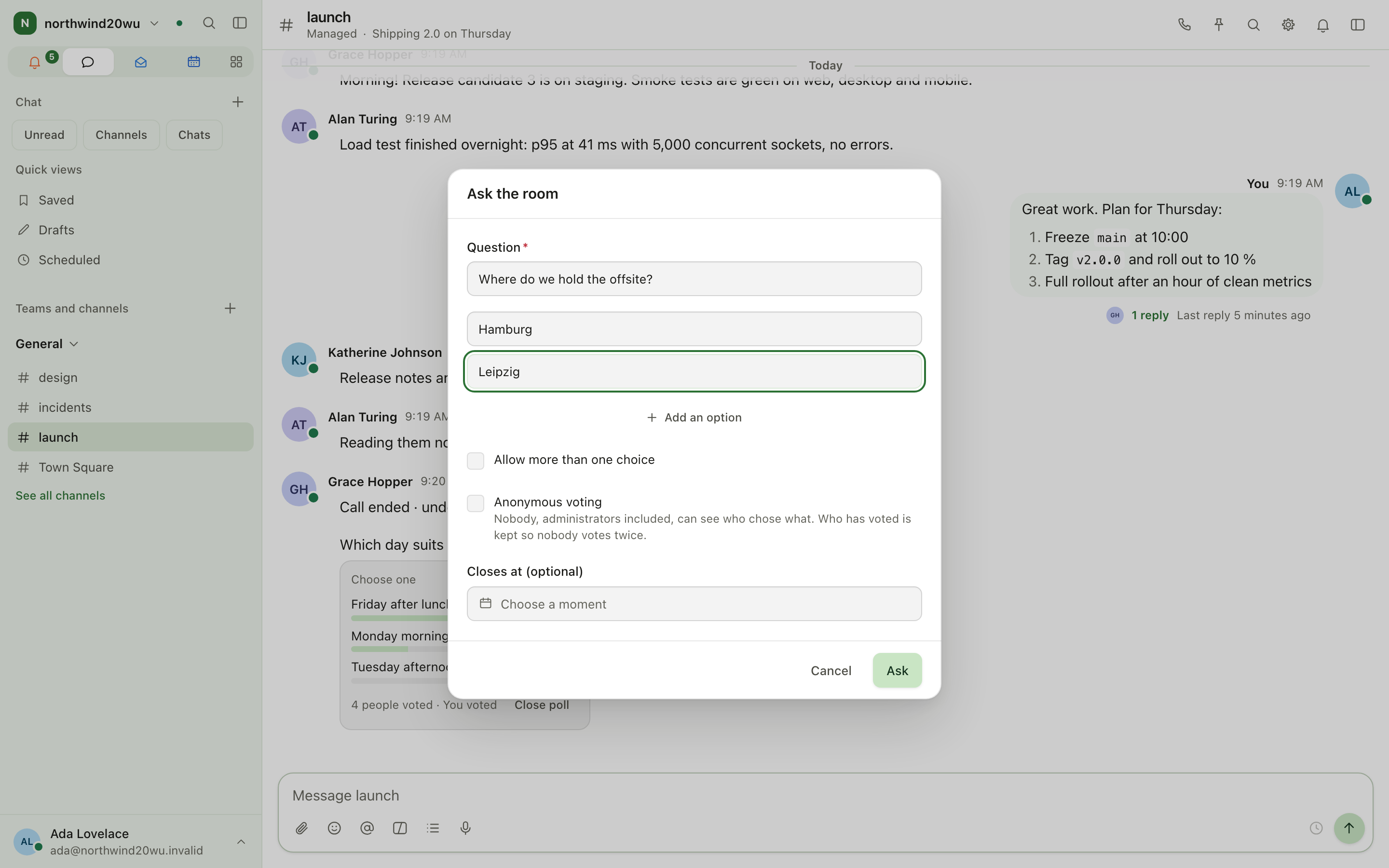
- In a channel or a thread, choose Create a poll (or type
/polland your question). - Ask the room opens. Fill in the Question and at least two different options. Add an option adds more, up to ten.
- Optionally tick Allow more than one choice and Anonymous voting, and set Closes at (optional). A poll can stay open for up to a year.
- Press Ask. The poll is posted as your message.
Vote
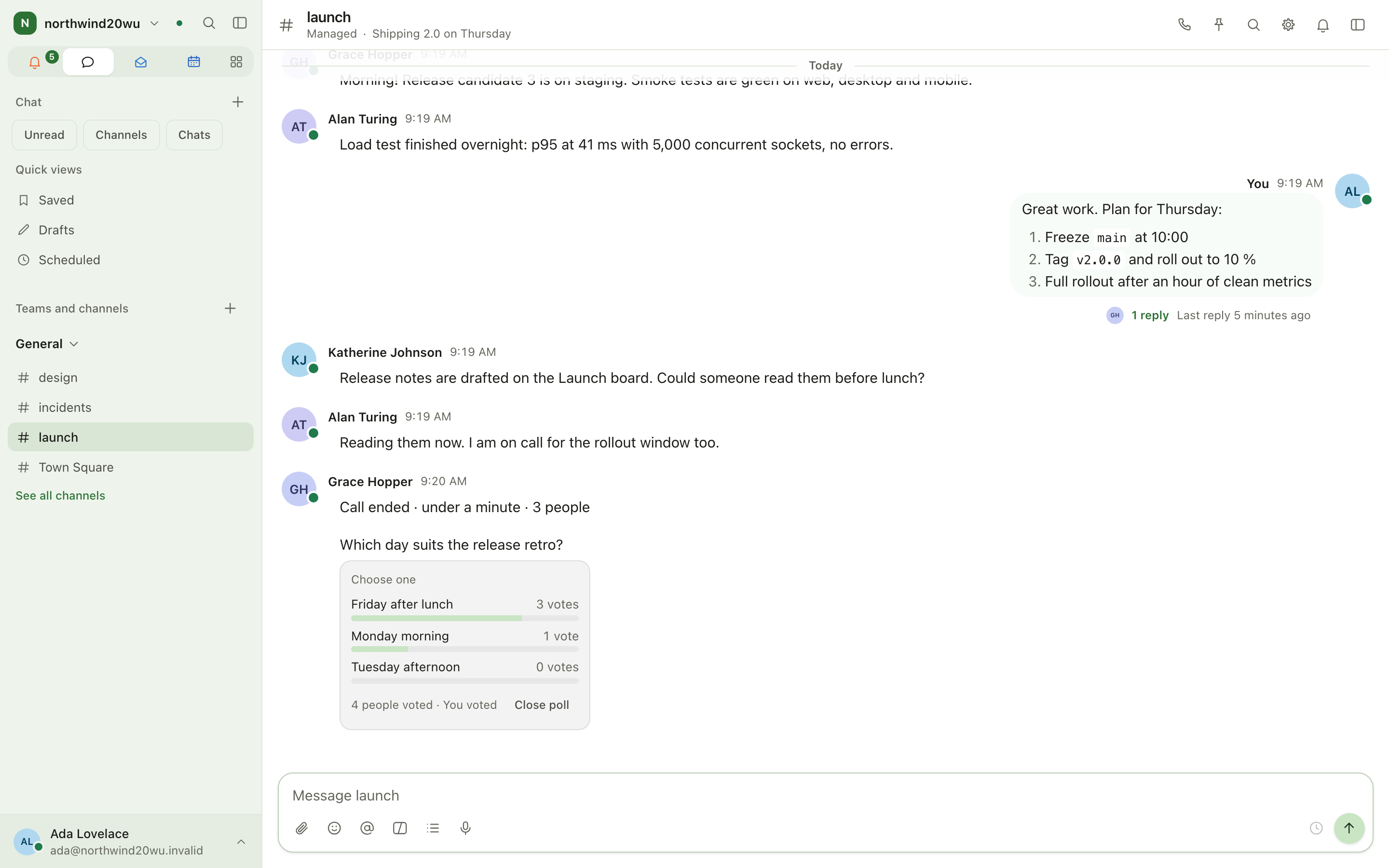
- The card says Choose one or Choose one or more.
- Pick your option(s) and press Vote. A vote is final, so you can't change it afterwards.
- After you vote, every option shows its votes and its share, and the card says how many people voted, followed by You voted.
Close a poll and act on the result
- A poll with a closing time closes by itself. Until then the card says Closes ….
- Close poll ends it early. It is shown to the poll's author and to whoever may delete other people's messages in that room.
- A closed poll is marked Closed and shows the final results. Its author also gets Add to calendar, which opens a new event named after the question and the winning option, when they have a calendar they can write to (Calendar).
Roles and permissions
| Who | May |
|---|---|
| Everybody who has Polls | Ask a question in a room they can write in |
| Members of the room | See the poll, vote once, and see the results |
| The poll's author and the room's moderators | Close poll |
| Administrator role | Administer the Polls roles |
Who has Polls is set under System console → Marketplace → Polls → Who gets it. The roles (Member, Administrator) are under System console → Access → Roles, on the Modules tier.
In an anonymous poll, nobody can see who chose what, administrators included. The poll only keeps who has voted, so that nobody votes twice.
Settings
Polls has no settings of its own. Install it, and decide who gets it, under System console → Marketplace → Polls. It is marked Beta there.
Tips
- A poll in a thread keeps the answers next to the discussion that led to it.
- An anonymous poll still shows how many people voted, so you can tell when everybody has.
- The phone app shows polls too and lets you vote, close and ask from the composer's + menu (The desktop and phone apps).
Companion
The companion is the built-in AI assistant. Ask it to find something or to make a change anywhere in the product. It acts as you, so it can only do what you could do yourself, and every change it proposes waits for your approval unless you have set that tool to Just do it.
Soundboard
Play a short sound to everybody in a call: a chime when the build is green, a drum roll before the demo. A handful of sounds come with Enclessa, and your organisation can add its own.