Today
Today is your day on one page: appointments, booked hours, what is due on a board, reminders, absences, follow-ups, notice dates, money due and more — drawn from whichever modules your organisation runs. Nothing is stored in Today itself; each module answers for itself when you open it.
Where: the Today app (/today, sun icon) in the sidebar, group Plan.
Main workflows
Read your day
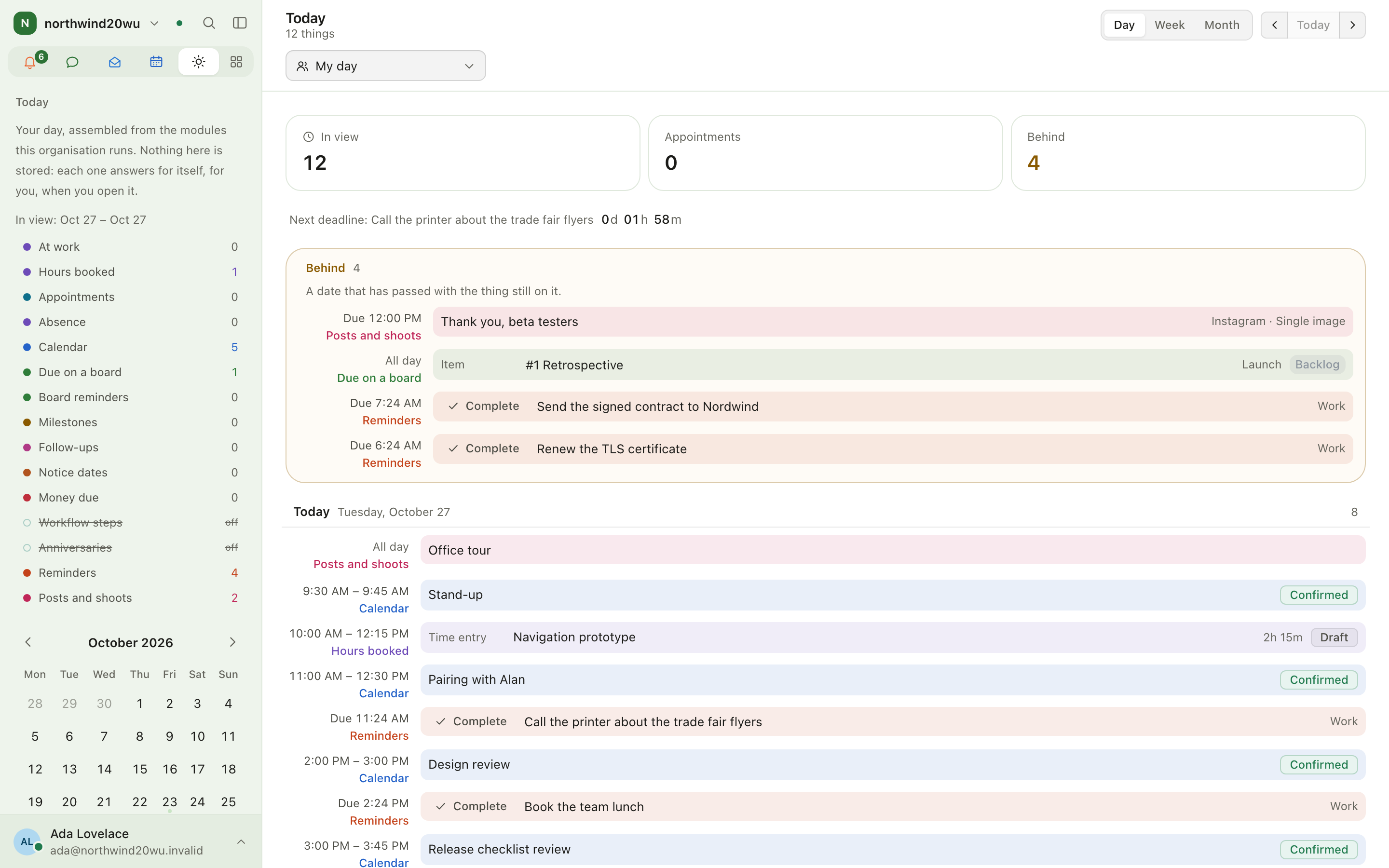
- Open Today. The header says how many things are in view; Now and Behind (dates that passed with the thing still open) are listed first.
- Items are listed by day and time. Select one to open it in its own module.
- The sidebar shows the counts for your own day per source, and marks the sources this organisation has not installed ("off").
| Source | Comes from |
|---|---|
| Calendar, Appointments | Calendar, Bookings |
| At work, Hours booked, Absence | Time |
| Due on a board, Board reminders | Boards |
| Milestones | Projects |
| Follow-ups | Customers |
| Notice dates | Contracts |
| Money due | Finance |
| Workflow steps, Anniversaries | People |
| Reminders | Reminders |
| Posts and shoots | Studio |
Move through the days
- Day, Week or Month in the header sets how far ahead you look. Week is the default.
- The arrows beside it step one whole day, week or month back or forward; Today jumps back.
- Pick a date in the small calendar in the sidebar to open that single day. Days with something on them carry a dot.
Filter
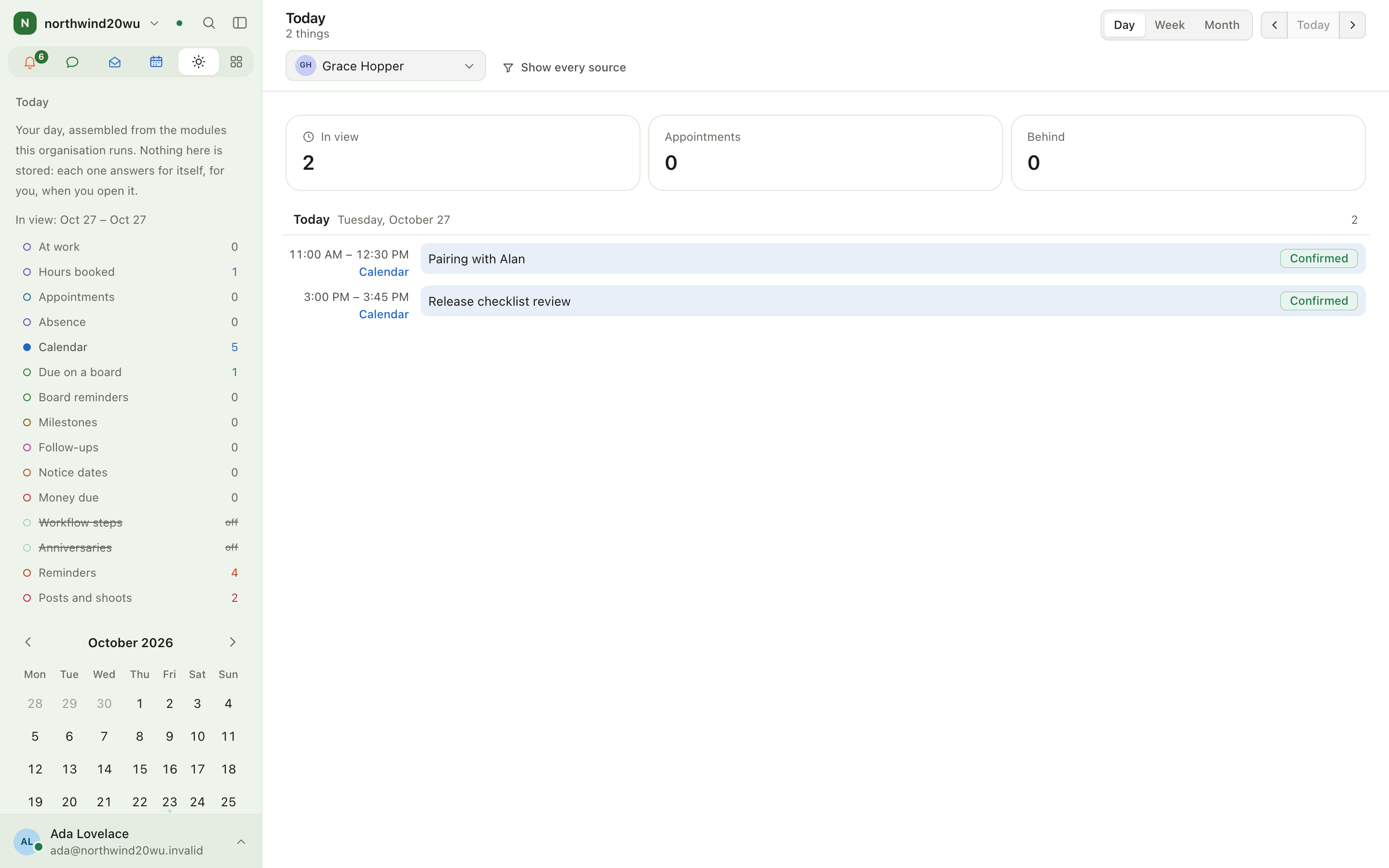
- Sources — select a source in the sidebar list to switch it off or on again (for example, leave just appointments and absences). Show every source in the header switches them all back on.
- Whose day — look at a colleague's day, or everybody's, if your role lets you list the organisation's members. The counts in the sidebar stay your own.
- Clear filters on an empty result resets both.
The range, the date and the filters are kept in the address, so a link you send opens the same view.
Roles and permissions
Every member has Today. What appears depends on what you may see in each module: a module you have no role in contributes nothing. Guests do not have Today.
Settings
Today has no settings of its own. To change what feeds it, use the modules: connect calendars under Calendar → Calendar settings, book time in Time, set reminders in Reminders.
Tips
- An empty day means nothing is scheduled, booked or due — or none of it is yours to see.
- Pin Today first and ⌘1 opens it.
Modules
Every module guide, grouped the way the sidebar groups them.
Chat
Chat is where teams talk: channels for topics, direct messages between people, threads for side conversations. It also holds your drafts, saved messages and scheduled messages, and the Activity feed of everything that is waiting for you.