Reminders
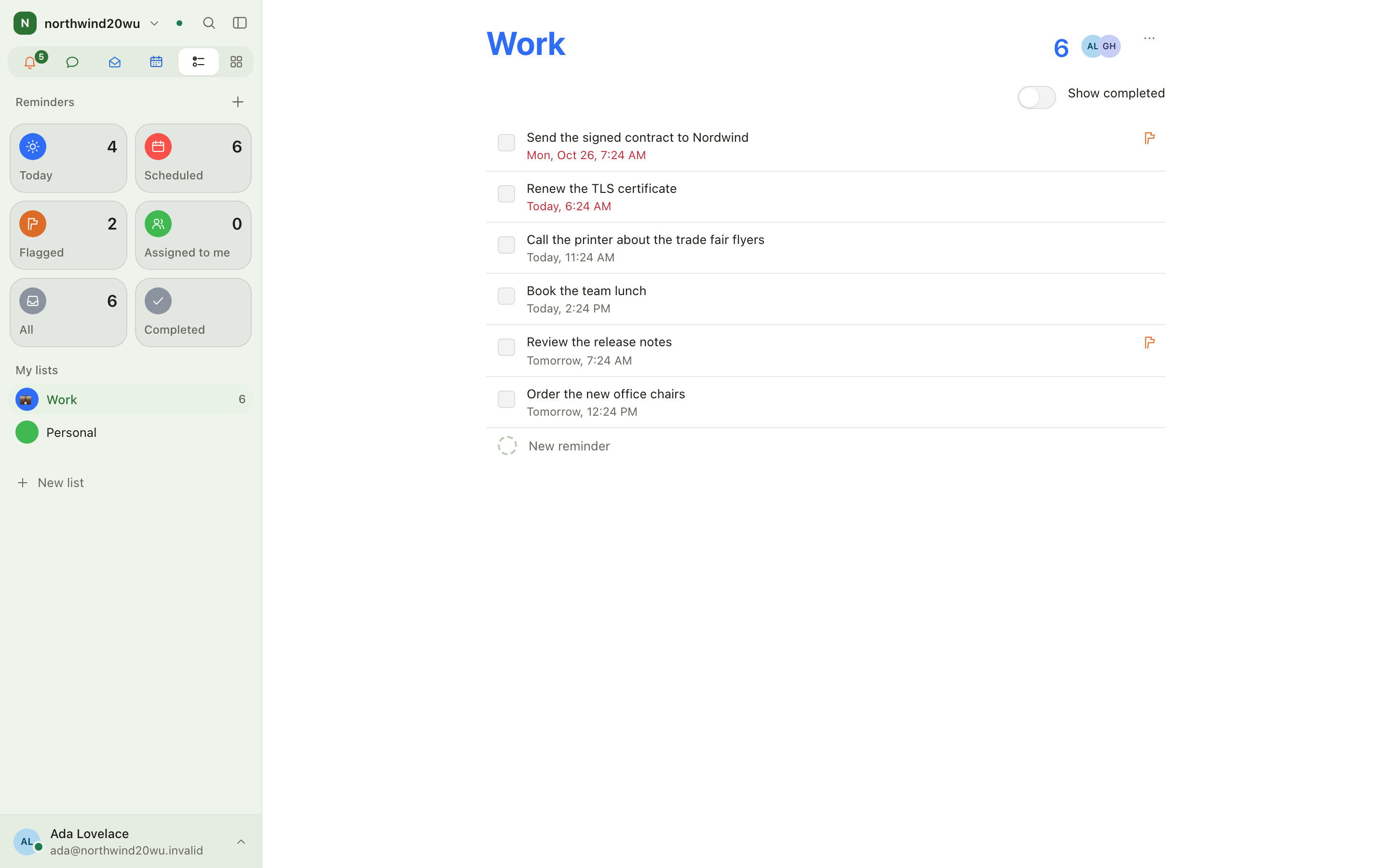
Reminders are your own to-do lists — call the tax adviser, bring the badge back, renew the domain. They work like Apple Reminders: lists, smart lists, due dates, flags, tags, subtasks, photos and repeats. A list is private until you share it.
Use Reminders for personal to-dos. Team work that others should see belongs on a board. A private reminder about one board item is set on the item itself and appears in Boards, not here.
Where to find it
The Reminders app (/reminders, group Plan in All apps). Its sidebar shows:
- Smart lists as tiles with counts: Today, Scheduled, Flagged, Assigned to me, All, Completed.
- My lists and Shared with me, each with its open count.
- + at the top to make a New list.
Due reminders also appear on Today and on the Calendar on their date.
Roles and permissions
Every member of an organisation with Reminders installed has their own lists — no role needed. The Administrator role only administers the module's roles; it does not let anybody read another person's lists. A list's owner shares it per person.
Main workflows
Add a reminder
- Open a list (or a smart list).
- Type into New reminder at the bottom and press Enter.
- Open Details on the row for a date and time, alert, repeat, priority, flag, tags, a place, notes, subtasks and photos.
Tick off and find what is done
Tick the circle to complete a reminder; a repeating one moves on to its next date. Show completed reveals finished ones on a list; the Completed tile collects all of them.
Organise with lists, flags and tags
- New list: name, colour and icon. Change them later under List options → Name and colour.
- Flag what matters right now; the Flagged tile collects them.
- Type
#tagin a reminder; choose a tag to see everything carrying it. Show all reminders (or the × on the tag filter) leaves the tag again.
Share a list
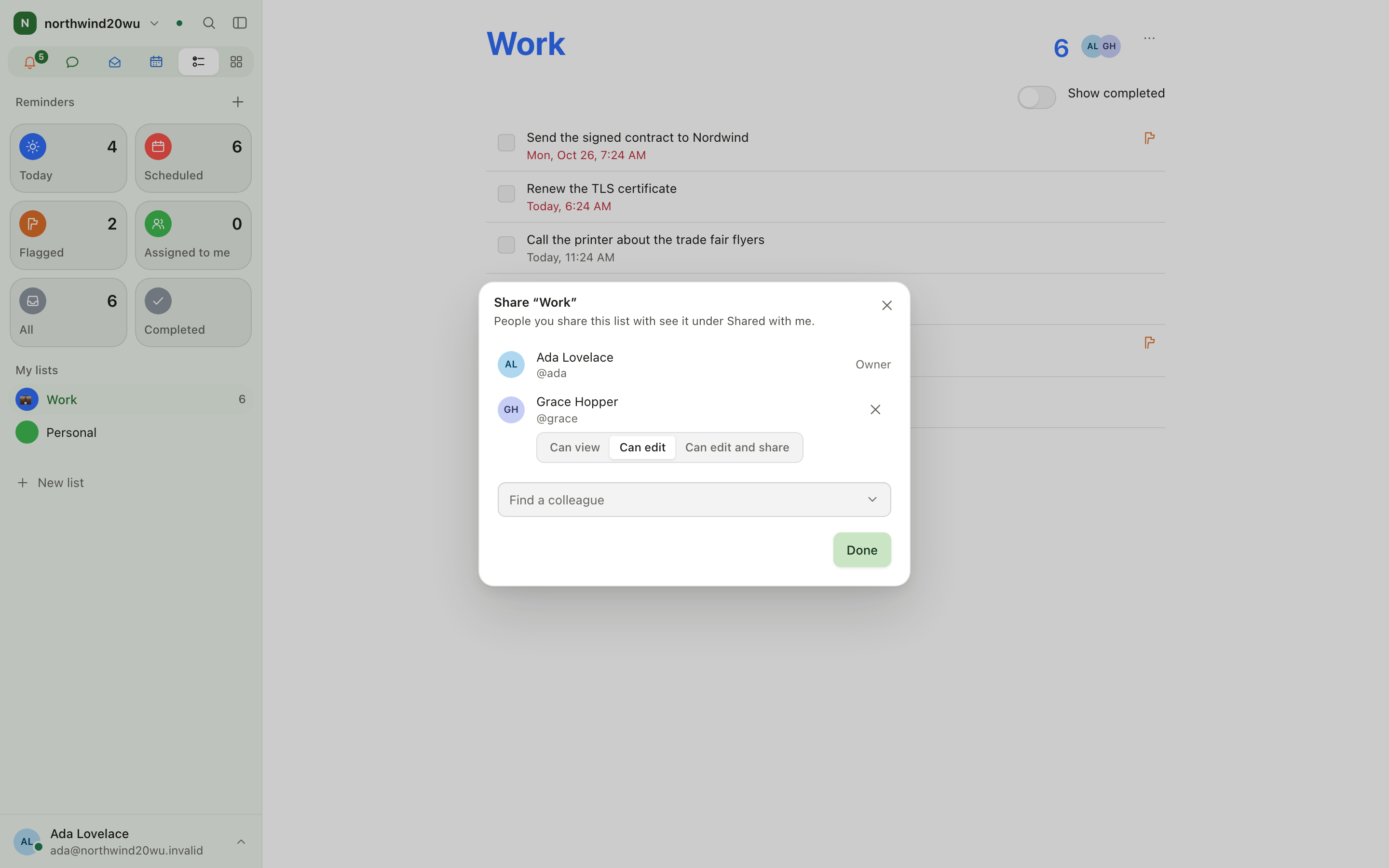
- Open the list → List options → Share list.
- Pick a colleague and a level: read, write, or manage (may share too).
- On a shared list you can assign a reminder to somebody; it shows up under their Assigned to me.
- A colleague who no longer needs it chooses Leave this list.
Delete a list
List options → Delete list removes the list and every reminder on it.
Settings and admin
- Installing and switching sharing on or off: System console → Marketplace → Reminders.
- Roles: System console → Access → Roles.
Tips
- ⌘K (Ctrl+K) and
flagged,scheduled,assignedorcompletedopens that smart list directly. - The Today tile also shows everything overdue, however old.
- Give a reminder a place and open it in a map from the details.
Your account and settings
Everything that belongs to you rather than to a room or a module: profile, sign-in security, devices, notifications, availability, your sidebar, access tokens and your data.
Companion
The companion is the built-in AI assistant. Ask it to find something or to make a change anywhere in the product. It acts as you, so it can only do what you could do yourself, and every change it proposes waits for your approval unless you have set that tool to Just do it.